A team without a badge is just eleven people in matching shirts. Whether it's for your Sunday league side, a five-a-side team, or a Football Manager save, a proper crest turns a kit into a club. Generic logo makers can draw you a "sports logo" — but a football badge has its own visual language, and that's what a dedicated badge maker gets right.
What makes a good football badge
- A strong silhouette. Shield, circle or diamond — pick one and let it define the badge. The best crests are recognisable from their outline alone.
- Two or three colours, taken from the kit. The badge and shirt should look like they were born together.
- One symbol, not five. A lion, a ball, a local landmark, your initials — one idea, executed cleanly.
- Readable text. Club name or founding year, kept short. If you can't read it at thumbnail size, cut it.
How the Badge Creator works
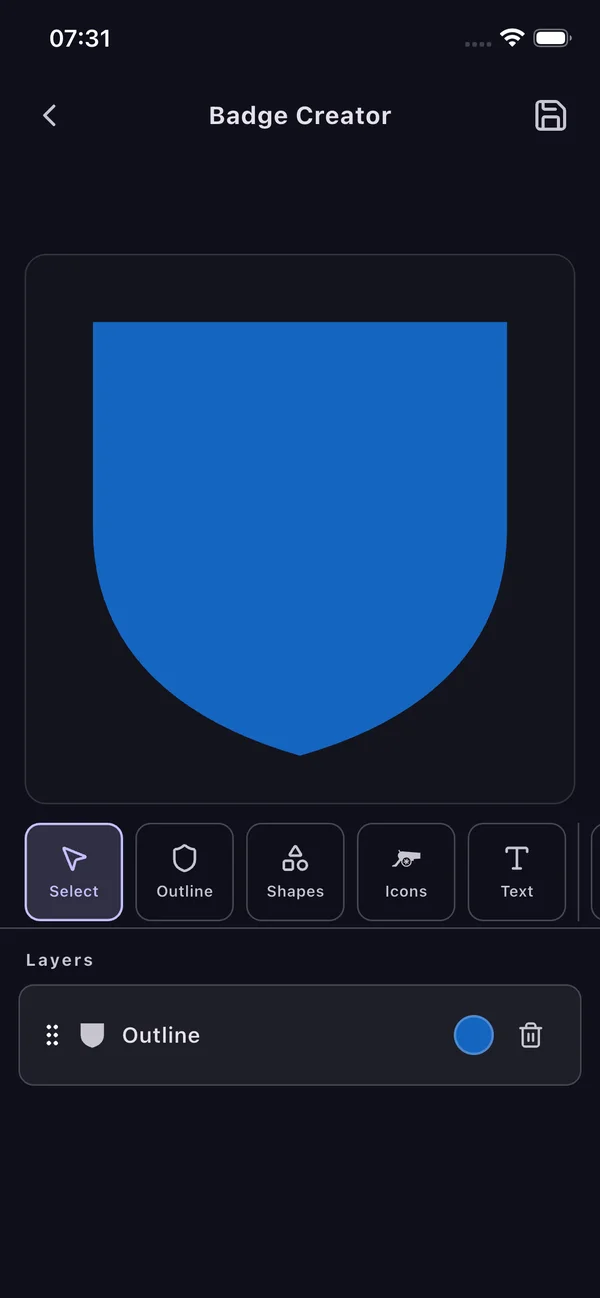
My Jersey has a full Badge Creator built in. You build the crest in layers, exactly like a designer would:
- Outline — choose the badge silhouette (shield, circle and more) and its base colour.
- Shapes — layer bands, chevrons, quarters and geometry to structure the badge.
- Icons — add football iconography: balls, boots, stars, animals, trophies.
- Text — club name, initials or founding year, positioned and scaled freely.
- Reorder, recolour or delete any layer at any time — then save.
Put it straight on a kit
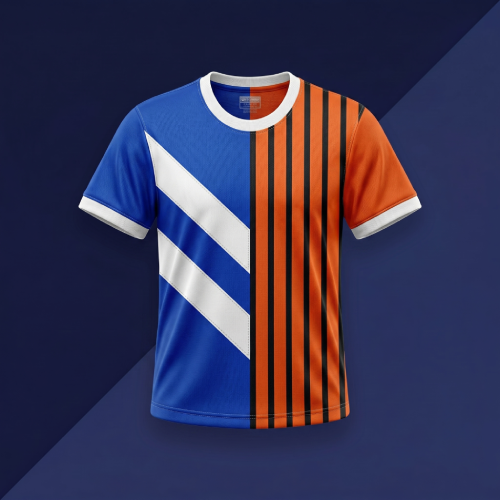
This is the part standalone logo tools can't do: your finished badge goes directly onto a jersey in the same app. Design the crest, design the kit around it, add names and numbers, and export the whole identity — badge and shirt — as share-ready images. Perfect for real teams and FM create-a-club saves alike.
Design your crest free
Outlines, shapes, icons and text — build a badge and wear it on your kit in the same app.